

A content management system (CMS) is software
that lets users create, edit, organize, store, and publish digital content,
usually without writing code. Most CMS platforms separate content from
presentation, so one body of text and media can appear in different layouts or
on different devices. CMS software is used for websites, blogs, online stores,
intranets, and documentation portals. According to usage surveys such as
W3Techs, a minority of all websites run on no identifiable CMS, and one
platform, WordPress, powers a large share of those that do (reported at
roughly 40% of all websites in recent years, though the figure changes over
time).
|
Infobox |
|
|
Type |
Software category |
|
Primary function |
Creating, managing, and publishing digital content |
|
Typical users |
Editors, marketers, developers, administrators |
|
Core components |
Content repository, editing interface, publishing engine,
user management |
|
Common architectures |
Coupled (traditional), decoupled, headless |
|
Well-known examples |
WordPress, Drupal, Joomla, Shopify (commerce-focused),
Contentful (headless) |
|
Licensing models |
Open source, proprietary, software as a service |
Note: “CMS” most often refers to a web content
management system. It is distinct from a learning management system
(LMS), a customer relationship management system (CRM), and a document
management system (DMS), although these categories can overlap in features.
Overview
A CMS provides a structured environment for producing and
maintaining content. Rather than editing individual HTML files, a user enters
text, images, and other media through a form-based or visual editor. The system
stores that material in a database or file store and assembles it into finished
pages when a visitor requests them or when the site is built.
The central idea is the separation of content, structure,
and design. Content is the information itself, structure is how it is
organized (for example, articles, categories, and tags), and design is how it
is displayed, typically controlled by themes or templates. This
separation allows a site to be redesigned without rewriting its content.
History
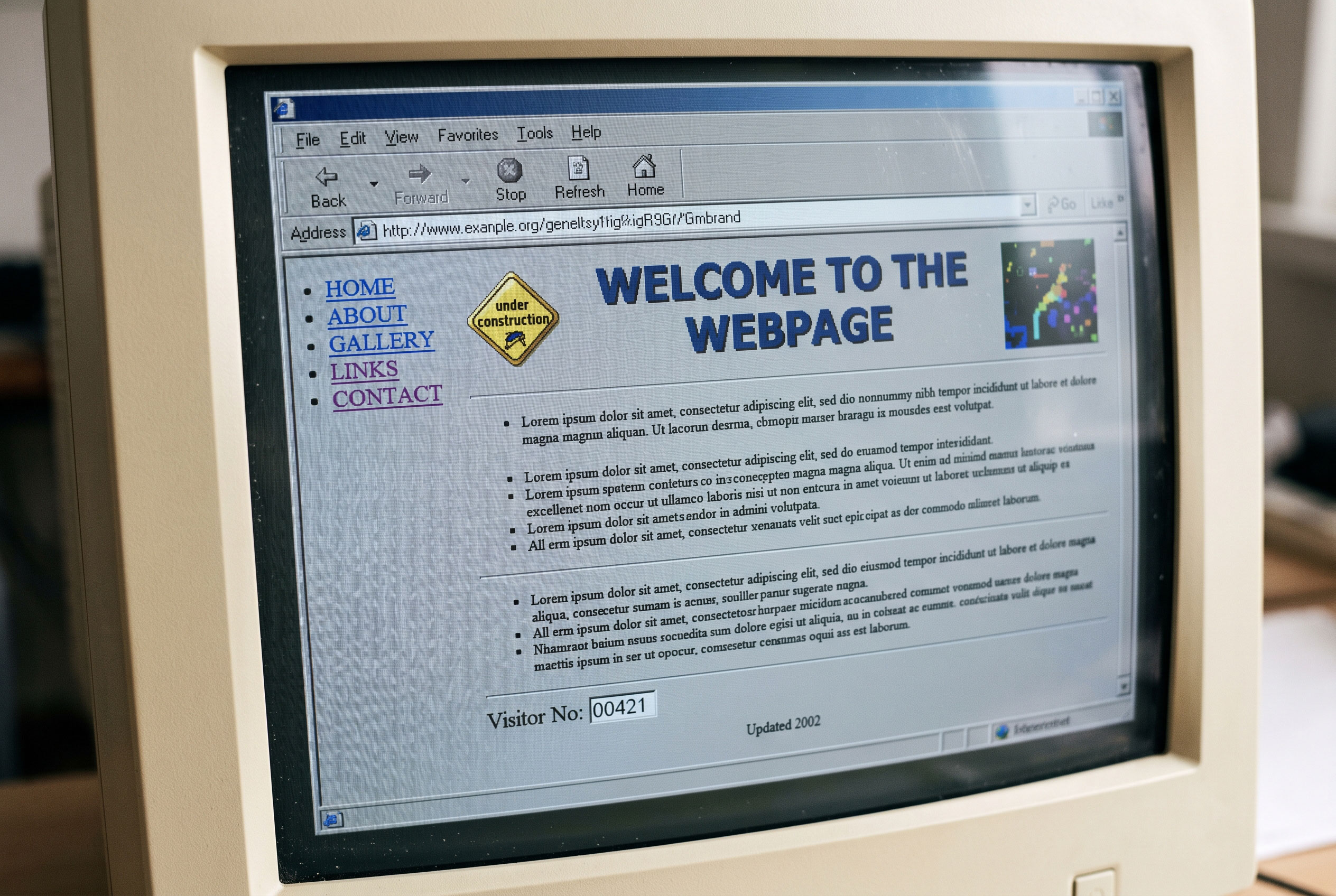
Content management practices developed alongside the growth
of the World Wide Web in the 1990s. Early websites consisted of hand-written
HTML files, which became difficult to maintain as sites grew. Organizations
such as news publishers and large corporations began building custom internal
systems to manage frequent updates.
Commercial products appeared in the mid-to-late 1990s, and
several open-source projects followed in the early 2000s. Sources generally
agree on the following milestones, although exact release dates vary by how
they are counted.
|
Period |
Development |
|
Mid-1990s |
Early custom publishing tools and the first commercial web
content management products |
|
2001 |
Drupal first released as an open-source project by
Dries Buytaert |
|
2003 |
WordPress released as a fork of the b2/cafelog
blogging software, led by Matt Mullenweg and Mike Little |
|
2005 |
Joomla announced as a fork of Mambo |
|
2010s |
Growth of hosted (SaaS) platforms and API-driven content
delivery |
|
Late 2010s onward |
Wider adoption of headless CMS architectures |
WordPress began as a blogging tool and gradually expanded to
support general websites, which illustrates a broader trend: many early
blogging platforms evolved into general-purpose CMS software.
How a CMS works
A CMS generally consists of two interacting layers, often
described as the content management application (CMA) and the content delivery
application (CDA).
Content management application
The CMA is the back-end interface where authorized users
create and modify content. It typically includes a text editor, a media
library, and tools for managing menus, categories, and metadata. Many systems
also record revisions, allowing earlier versions of a page to be restored.
Content delivery application
The CDA compiles stored content and presents it to visitors.
In a traditional system, the CDA retrieves content from the database, applies a
template, and returns a page to the browser. Some systems generate pages in
advance and serve static files instead, a method often called static site
generation.
Core components
- Content
repository: A database or file system holding text, media, and
settings.
- Editor:
A visual (WYSIWYG) or block-based interface for composing content.
- Template
engine: Software that combines content with design layouts.
- User
and role management: Controls who can create, review, approve, or
publish content.
- Workflow
tools: Features such as drafts, scheduled publishing, and approval
chains.
- Extensions:
Plugins, modules, or add-ons that supply additional functions.
Types of CMS
Classifications vary by source, but the following
distinctions are commonly used.
By architecture
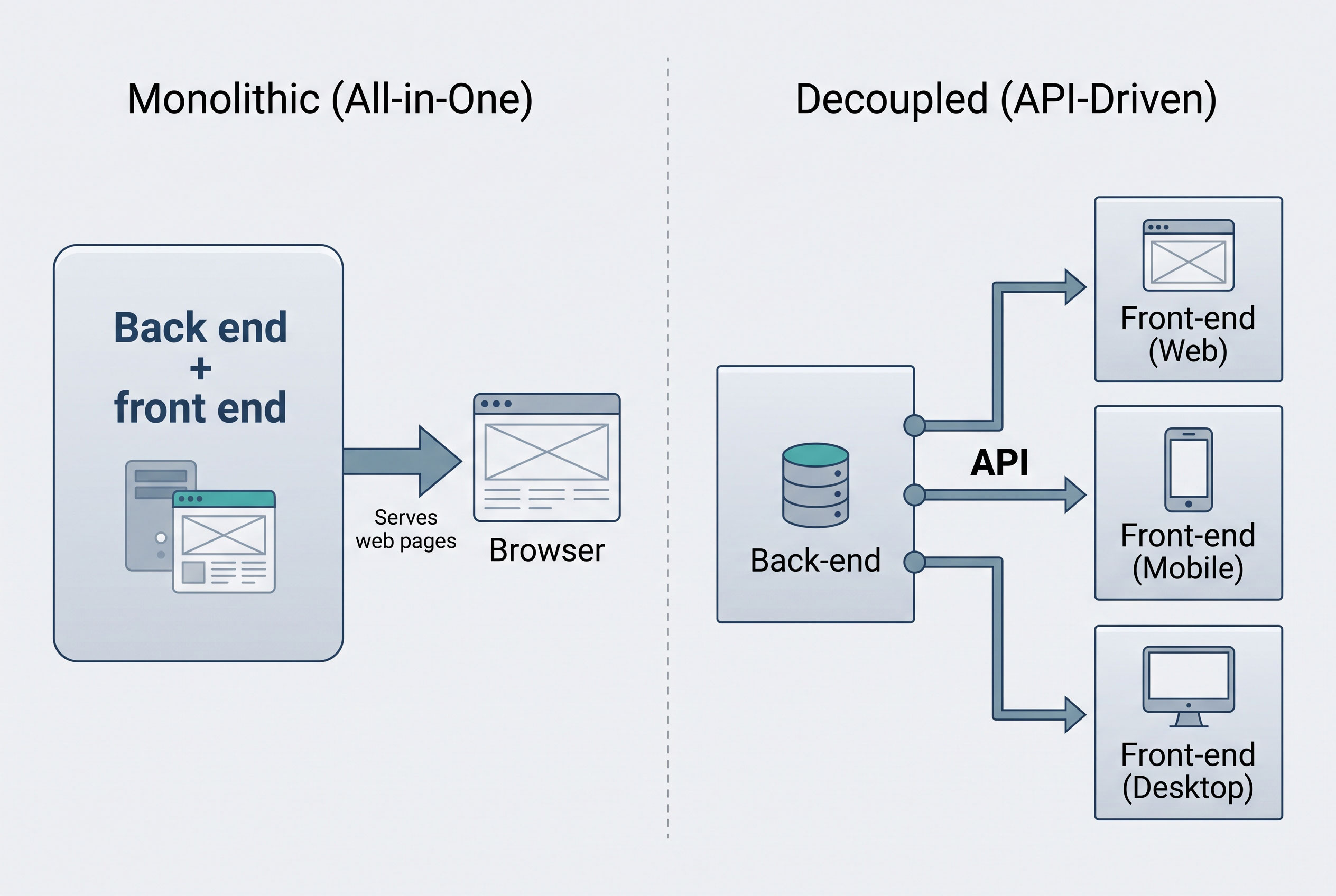
Coupled (traditional) CMS. The back end and the front
end are bundled together. Content is managed and displayed within one system.
WordPress and Drupal are commonly cited examples.
Decoupled CMS. The content store and the presentation
layer are separate, though they remain connected. The system may still provide
a default front end.
Headless CMS. The system supplies content only,
through an application programming interface (API), and has no built-in
front end. Developers build the display layer separately, for instance for a
website, a mobile app, and a kiosk drawing on the same content.
By delivery and licensing
|
Model |
Description |
Typical trade-offs |
|
Open source |
Source code is publicly available and modifiable |
Flexibility and no license fee; hosting, security, and
maintenance are the owner’s responsibility |
|
Proprietary |
Licensed commercial software |
Vendor support and integration; license costs and less
code-level control |
|
SaaS (hosted) |
Vendor hosts and maintains the platform |
Lower setup effort; less control over infrastructure and
data portability |
By purpose
- Web
content management (WCM): Focused on public websites.
- Enterprise
content management (ECM): Covers documents and records across an
organization, including retention and compliance.
- E-commerce
platforms: Combine content tools with product catalogs and checkout
functions.
- Learning
and documentation systems: Specialized for courses, wikis, or
technical manuals.
Comparison with related systems
CMS is often confused with neighboring categories.
- A website
builder (such as drag-and-drop hosted tools) bundles design, hosting,
and editing in a simplified product, usually with fewer customization
options than a full CMS.
- A static
site generator builds pages from files ahead of time and typically
lacks a built-in editing interface, although some pair with a headless
CMS.
- A digital
asset management (DAM) system focuses on storing and distributing
media files rather than composing pages.
- A document
management system (DMS) concentrates on files such as contracts and
reports, with version control and access permissions.
Benefits and limitations
Commonly cited advantages include lower technical barriers
for non-programmers, consistent design across pages, multi-user collaboration,
and reusable content. Limitations reported by practitioners include security
exposure when software or extensions are not updated, performance overhead from
unoptimized plugins, and dependence on a platform’s ecosystem.
Because popular systems are widely deployed, they are
frequent targets of automated attacks. Security organizations and CMS projects
generally recommend timely updates, strong credentials, and limited extension
use, though the degree of risk depends on configuration and maintenance rather
than on the platform category alone.
Market share and usage
Figures differ by survey methodology. W3Techs and BuiltWith,
two widely referenced web technology surveys, report that a substantial portion
of websites use a known CMS, with WordPress leading by a wide margin, followed
by platforms such as Shopify, Wix, Squarespace, and Joomla. Rankings and
percentages change regularly, so current figures should be checked directly
against the survey publishers.
Current status
CMS development in the 2020s emphasizes API-first design,
block-based editing, personalization, and integration with analytics and
commerce tools. Vendors increasingly use the term digital experience
platform (DXP) for products that extend content management into marketing
and customer-experience functions; the boundary between a CMS and a DXP is
defined inconsistently across the industry.